
you can also read: WordPress, Urgent: Better SEO from the box
I moved my site from Hugo (2024 R.I.P, you can check it at: https://github.com/marcelomazza/mazza.com.ar/tree/last-hugo-commit)
to WordPress; because I wanted to do what I want of it;
(and that Hugo allows it too)
but; let’s be honest, it’s not my first try.
Anyhow, straight to the point: as I wrote in https://mazza.com.ar/2024/wordpress-urgent-better-seo-from-the-box/
This should be part of WordPress onboarding; I as a user wrote a lot of content and I’m already using the site; without even configuring this before…
Marcelo Mazza
WordPress SEO from out of the box must be improved
Marcelo Mazza
WordPress; this is Huge.
Please add better SEO support… competition already has it.
And users needed it for so long now…
Marcelo
Same Goes for WordPress Analytics – it should be a feature; not plugin
And I must be honest; WordPress wasn’t my first option (of change, of course first was Hugo).
I wanted to have the ability to personalize my site and host it as wanted; Hugo flawed in the CMS part;
Plain text editing + Git seemed like a great option to me; unfortunately I realized it didn’t make me write as I wanted; and that support for Media and Guests would be hard to pull off; I initially tried some UI for frontend it’s offer but again; too much headwork…
It made me remember my Linux/Ubuntu times… good ol’ wasting time.
Not wasted.
Second try: https://mazza.ghost.io/. See your first Dashboard view in Ghost…
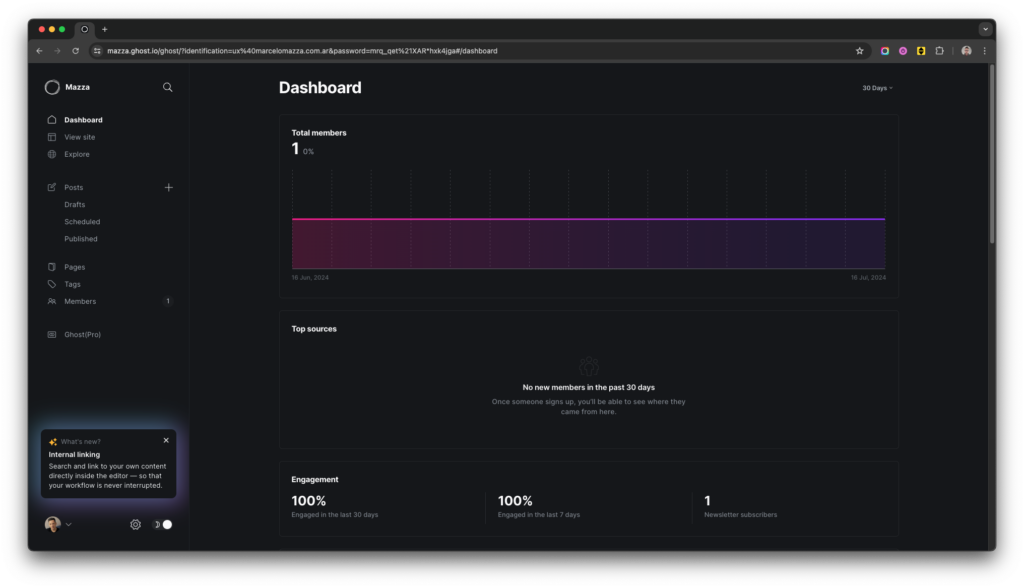
This is ANALYTICS at first glance; as a CORE of your PRODUCT.
Product Phone: discuss less, micro-break more; test all, improve faster.
Marcelo Mazza
WordPress: this is what an Intermediate User of Yours does in seek for Analytics:
Checks Dashboard…
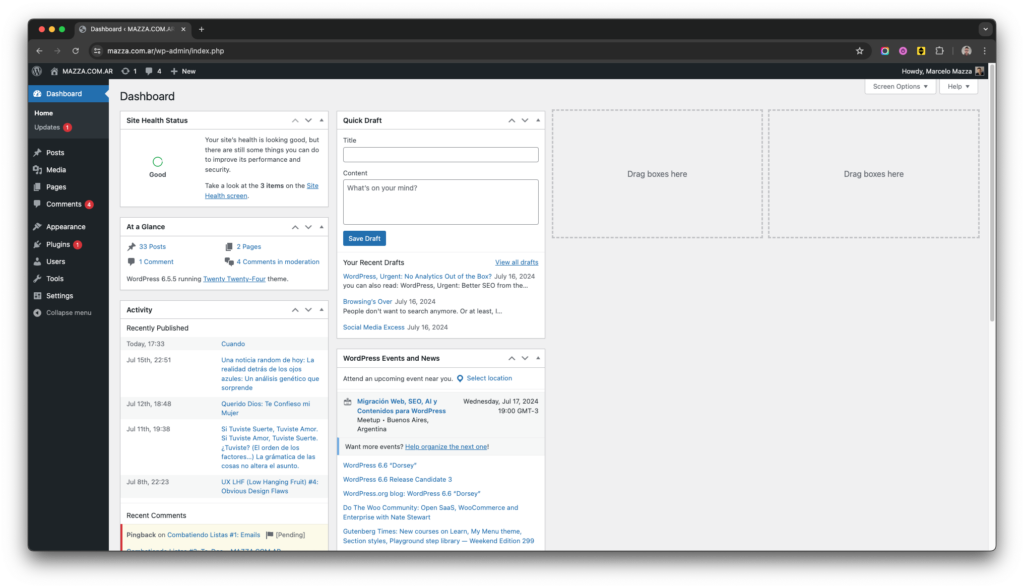
1 clicks: “Drag boxes here”… nothing happened… (imagine a First User)
Maybe comes here…
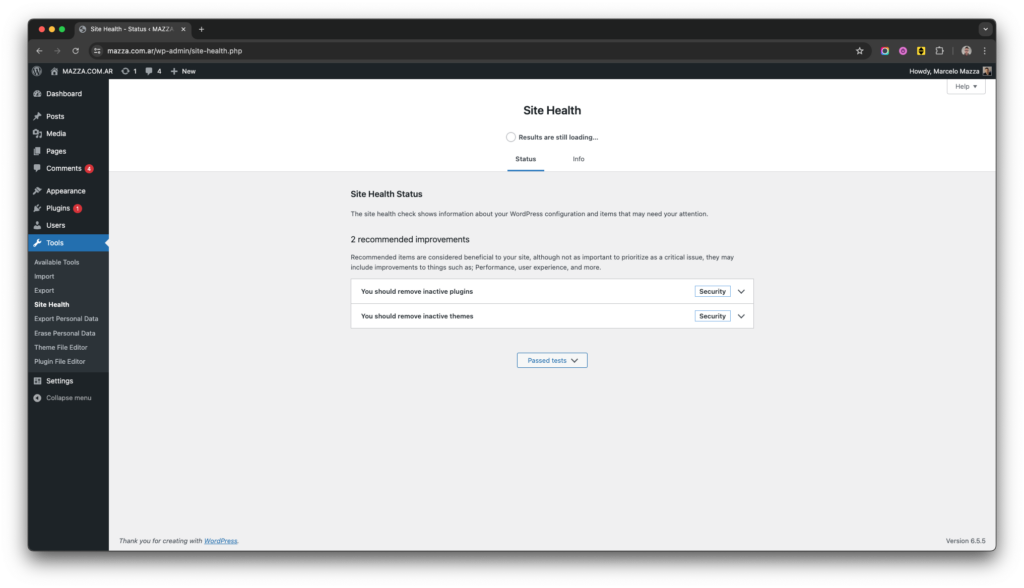
2 clicks: maybe here…
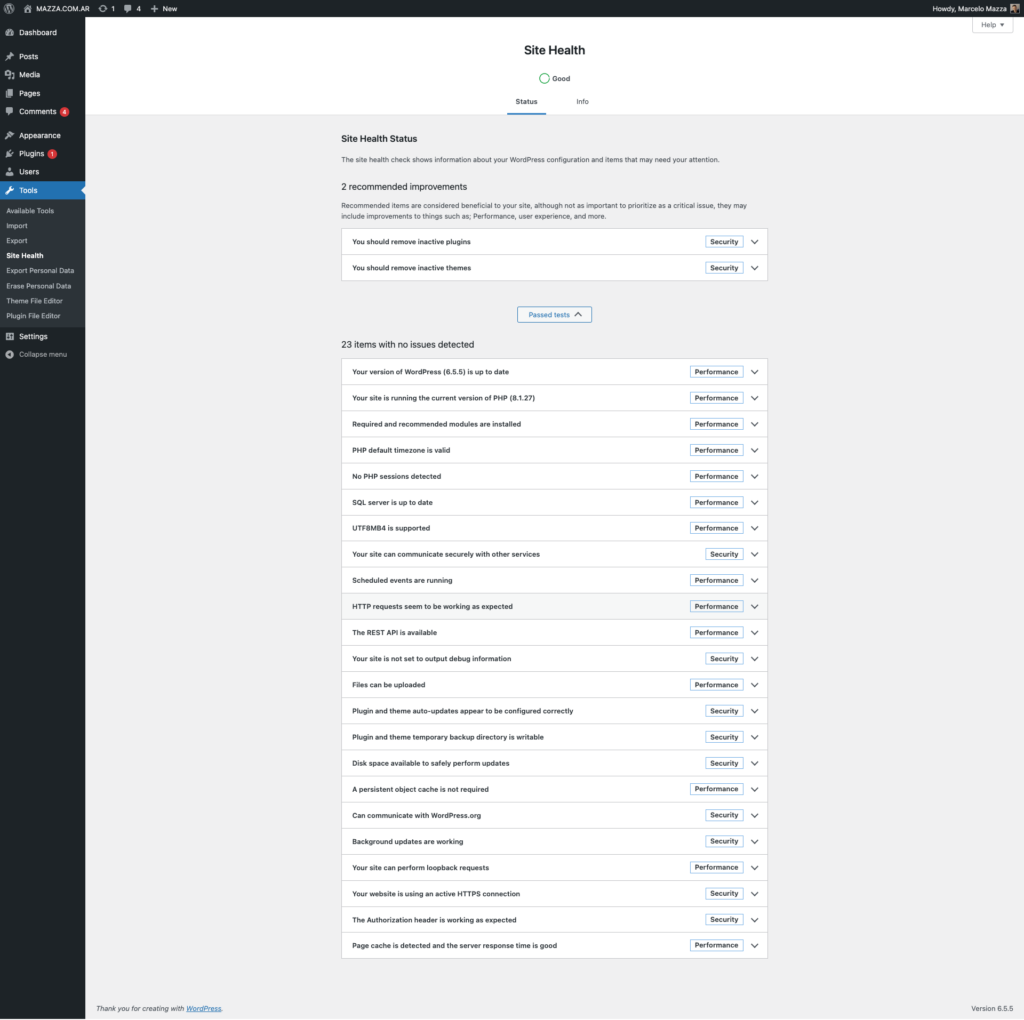
3 clicks: oh, “Info”, must be here:
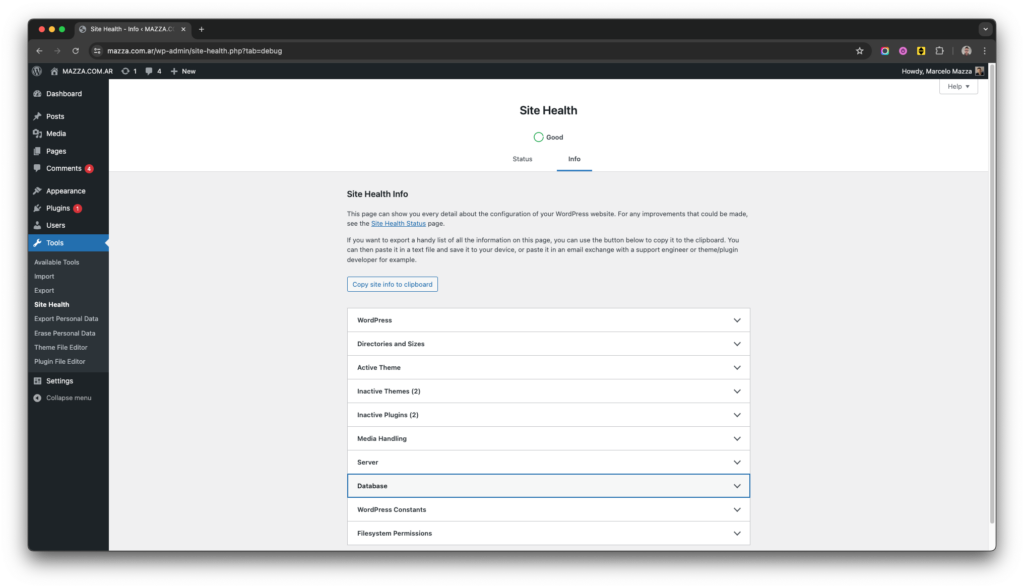
WordPress: you need Better Information Architecture too
And Unify Designs
4 clicks: “Oh, Plugins! Must be here”…

“Oh, hey, there’s an Update” (Marcelo asks: why is not the update notification present in the previous screens?)
“Please update now”; good micro-copy; 5th click:
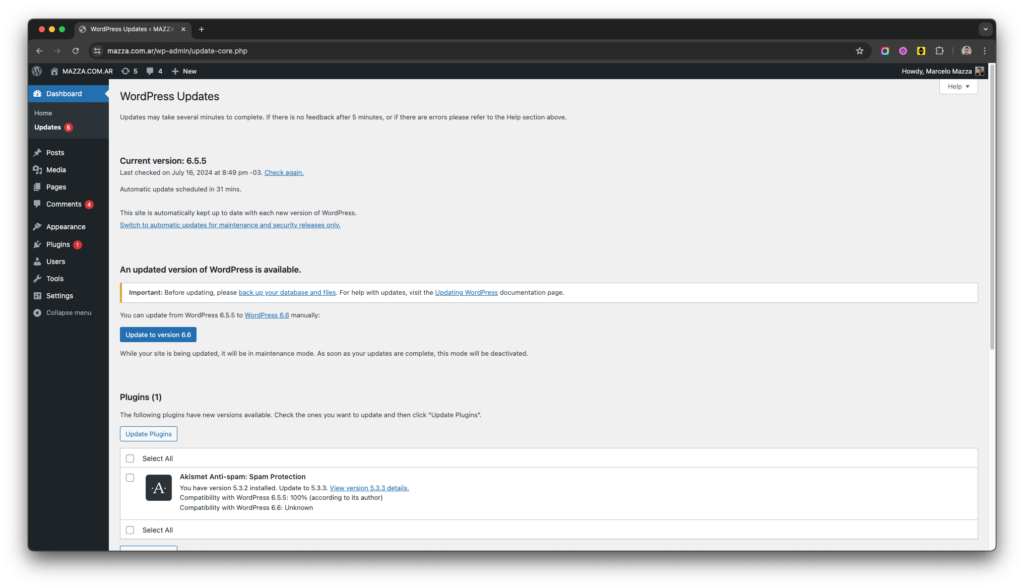
Important: Before updating, please back up your database and files. For help with updates, visit the Updating WordPress documentation page.
WordPress Says
“Oh; I don’t know how to do that; and that’s IMPORTANT… let’s leave the update for later; I really want Analytics for My Site… let’s go back to “Plugins (1)”, must be there…
6 clicks:
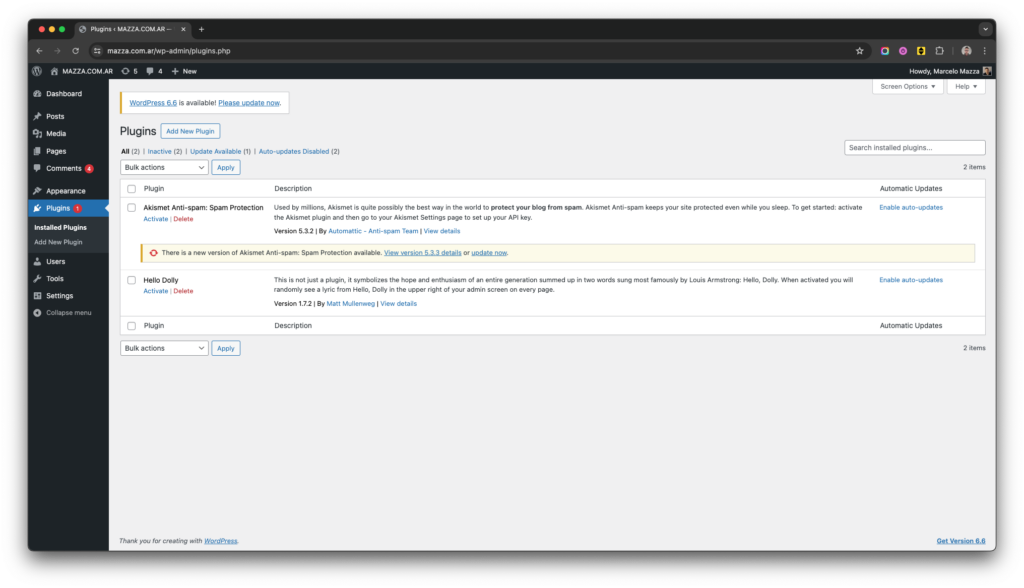
“OH! I REALLY KNOW THIS!!! FOUNT IT!! I NEED TO SEARCH FOR IT… I’m an idiot…” (user feels sad; poor guy; he still doesn’t know is that what’s Idiot is the Interface)
He puts his glasess on and start typing: “A”, “N”, “A”, “L”, “Y”, “T”, “I”, “C”, “S”…
AnaLIEtics…
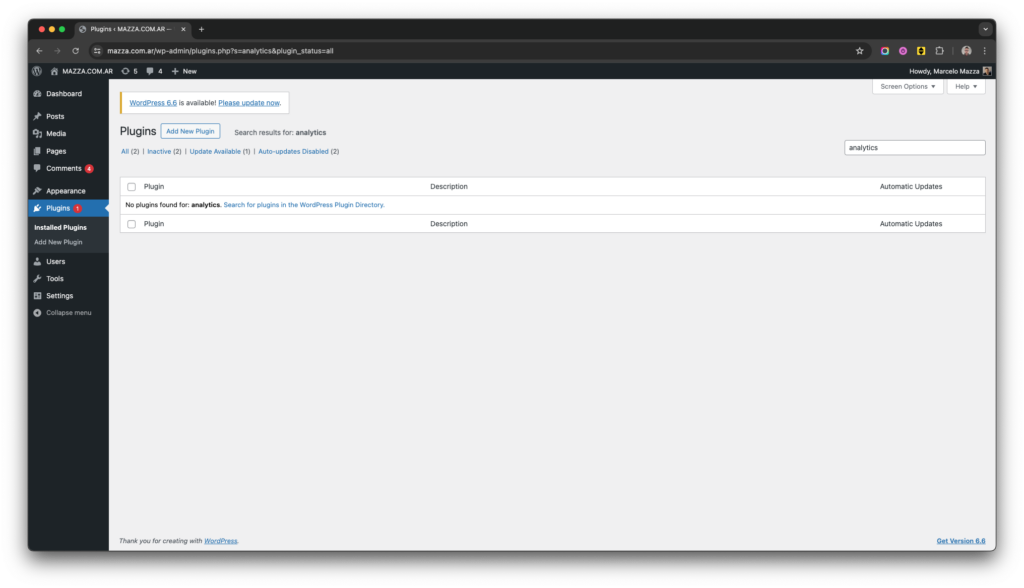
7 interactions later: he can’t find it here either (yeah; he doesn’t Read very much; but we already know that, right?)
He Keeps Searching
For 2 More Hours
Can’t Find It
And Surrenders
P.S: maybe She didn’t waste so much time
It’s here
/wp-admin/plugin-install.php?tab=search&s=analytics
WordPress: Put this UPFRONT
This is IMHO your best First View UI Landing for Your Users, so far…
Marcelo Mazza
UX Consultant
For Hire.
–
Buenos Aires, Argentina.
written on July 16 20:57.